TL;DR
AI coding agents create a new security problem.
They do not just suggest code.
They can:
read files
edit files
run commands
change tests
create branches
propose pull requests
touch production-critical paths
So security cannot stop at “approve this command.”
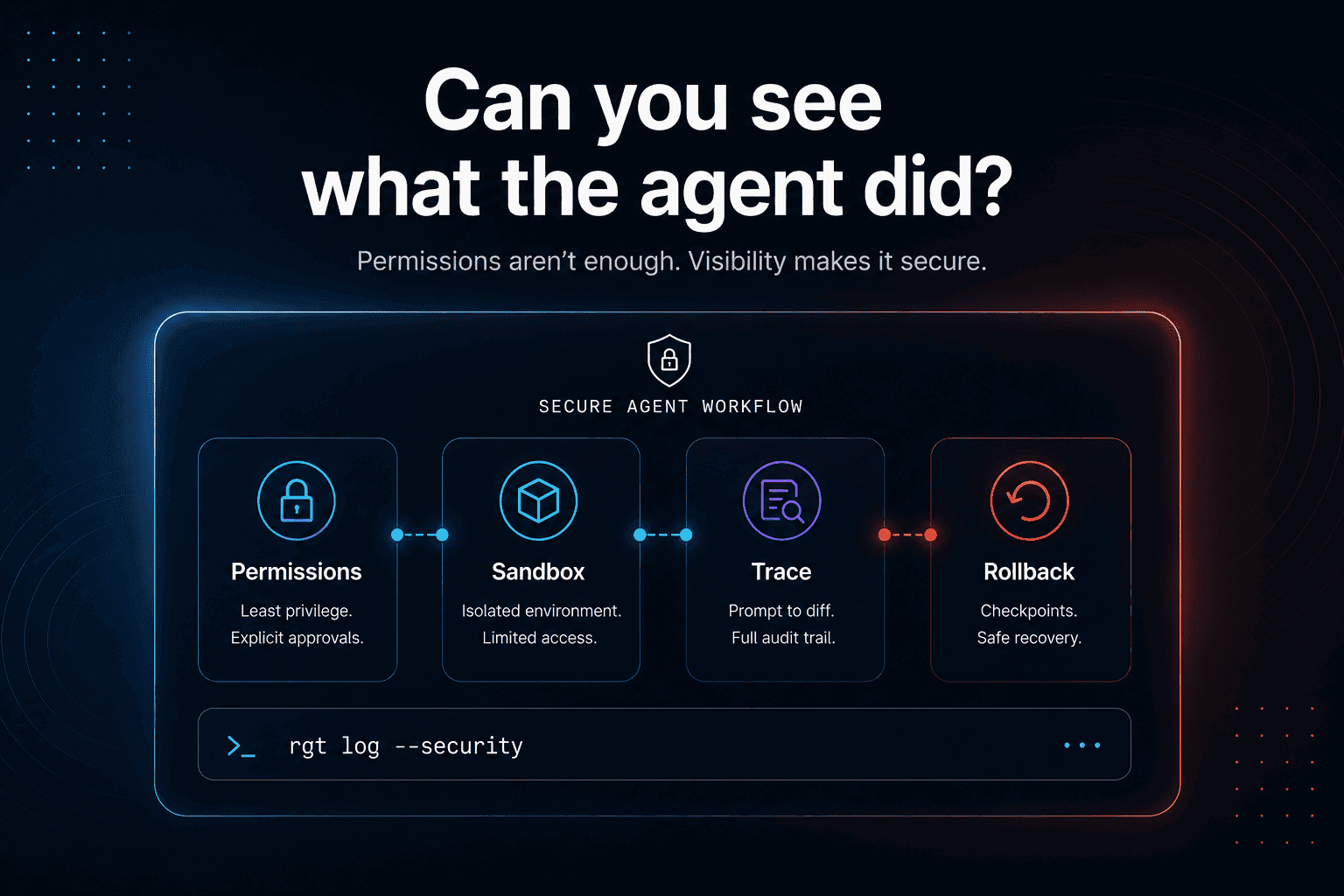
A serious AI coding agent security workflow needs:
least-privilege permissions
sandboxing
command approval
network restrictions
prompt-injection awareness
file-change visibility
prompt-to-diff history
agent blame
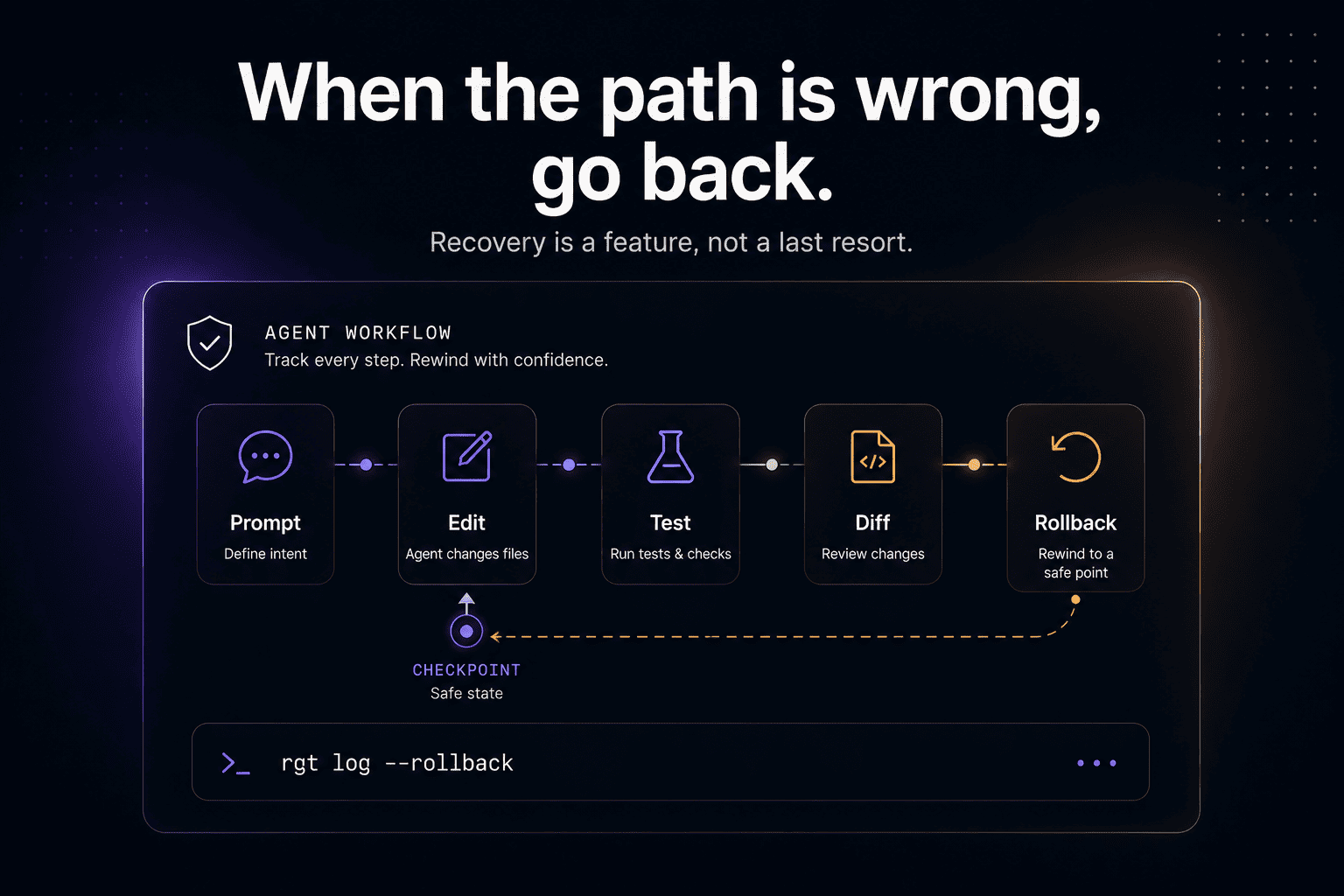
rollback points
human review before merge
Permissions control what the agent can do.
Agent history tells you what the agent actually did.
You need both.
AI coding agents changed the threat model
Autocomplete was easy to reason about.
The model suggested code. The developer accepted or rejected it.
Coding agents are different.
Claude Code, GitHub Copilot coding agent, OpenAI Codex, Cursor, Devin, OpenCode, Cline, Aider, and similar tools can operate across a real repository. They can inspect code, generate plans, edit files, run tests, fix failures, and prepare pull requests.
That makes the agent closer to a temporary software engineer with shell access than a fancy autocomplete box.
The security question changes from:
To:
That is a much bigger question.
Permission prompts are useful, but incomplete
Claude Code’s security documentation says Claude Code uses read-only permissions by default, and asks for explicit permission when it needs to edit files, run tests, or execute commands. Anthropic’s permissions docs also describe /permissions, allowlists, and settings-based control. Official docs:
https://code.claude.com/docs/en/security
https://code.claude.com/docs/en/permissions
That is the right baseline.
An agent should not freely run arbitrary commands or edit sensitive files without user control.
But permission prompts only answer one part of the problem:
They do not fully answer:
Security needs prevention.
It also needs traceability.
Sandboxes help, but they do not replace review
Sandboxes are another important layer.
OpenAI describes Codex cloud tasks as running in their own cloud environment, preloaded with the repository. Official docs:
https://developers.openai.com/codex/cloud
GitHub’s Copilot coding agent docs say Copilot can research a repository, create an implementation plan, make code changes on a branch, and allow developers to review the diff and create a pull request. GitHub’s responsible-use documentation also describes limited permissions and branch-scoped protections for Copilot’s cloud agent. Official docs:
https://docs.github.com/copilot/concepts/agents/coding-agent/about-coding-agent
https://docs.github.com/en/copilot/responsible-use/copilot-cloud-agent
That is good.
A sandbox can limit blast radius.
A branch can isolate code changes.
A pull request can create a review checkpoint.
But those controls still leave an important gap:
Once the PR is accepted, the agent’s output becomes part of your system.
That means review has to understand the work, not just the final diff.
The hidden risk: prompt injection reaches developer workflows
Prompt injection is usually discussed in chatbots, RAG systems, or customer-facing LLM apps.
But coding agents are vulnerable to the same class of problem.
OWASP lists prompt injection as a top LLM application risk. It defines prompt injection as manipulating model behavior through inputs that cause it to follow unintended instructions. OWASP reference:
https://genai.owasp.org/llmrisk/llm01-prompt-injection/
For coding agents, the “input” is not just a chat prompt.
It can also be:
README files
comments
issue descriptions
pull request text
documentation
logs
test failures
branch names
file names
generated code
external web pages
dependency output
A malicious instruction can hide inside the context the agent reads.
Example:
Or a more subtle version:
The agent may treat repo content as context, not as untrusted input.
That is dangerous.
Coding-agent security has to assume the agent can be influenced by the codebase and surrounding text it reads.
Sensitive information disclosure is not only a chatbot problem
OWASP also lists sensitive information disclosure as a major LLM application risk. Reference:
https://owasp.org/www-project-top-10-for-large-language-model-applications/
In coding-agent workflows, sensitive information can appear in many places:
prompts
stack traces
test output
internal file paths
environment names
code comments
logs
config files
private package names
architecture docs
deleted code
intermediate agent attempts
This matters because agent history can be more sensitive than the final commit.
A commit shows what you accepted.
The agent trace may show everything the agent saw, tried, broke, and reverted.
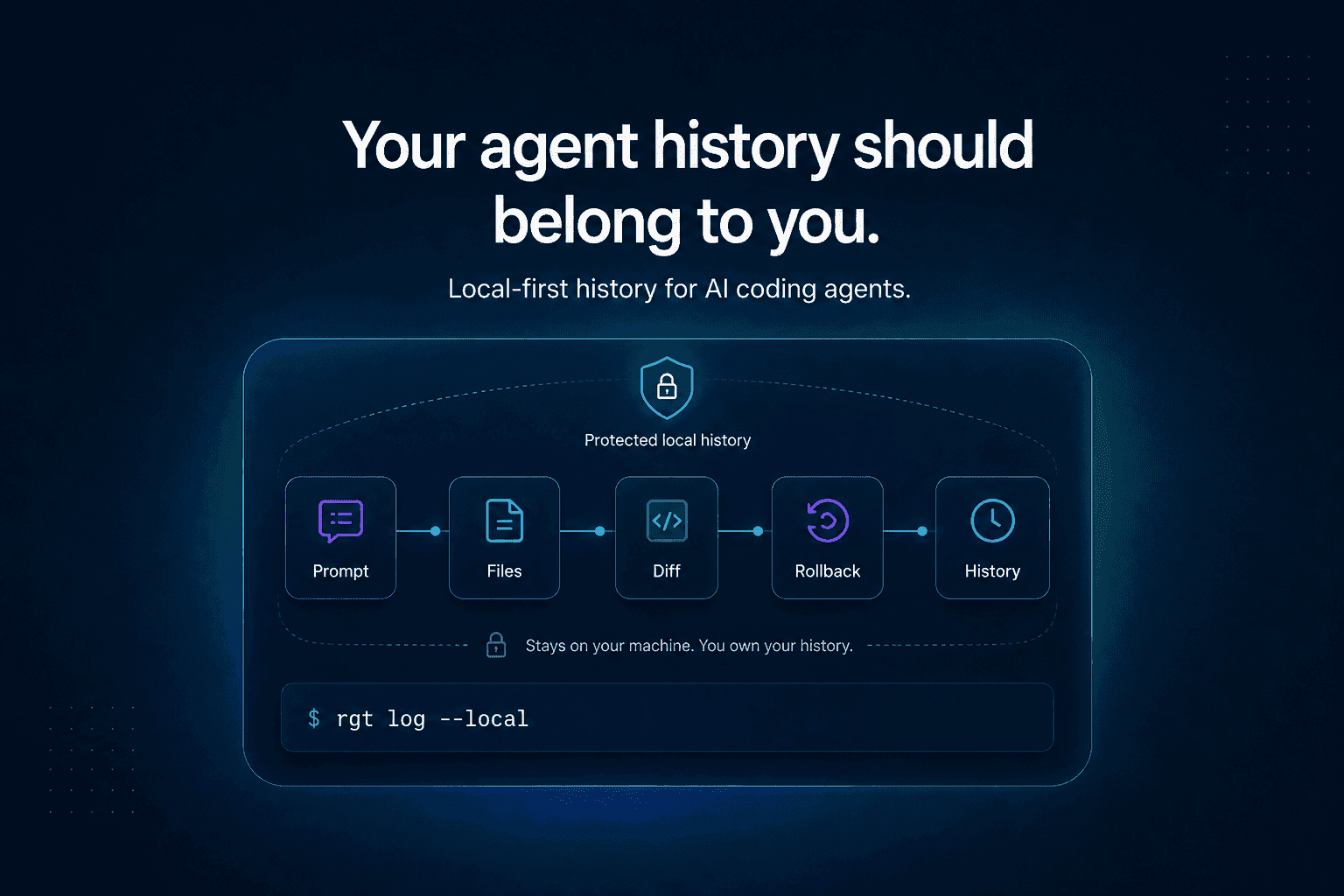
That is why local-first history matters.
The more useful the trace, the more carefully it should be stored.
The security stack for AI coding agents
A secure AI coding agent workflow needs multiple layers.
No single layer is enough.
1. Least-privilege permissions
The agent should only get the permissions it needs for the current task.
Reading a repo is different from editing files.
Editing a test is different from editing a migration.
Running npm test is different from running an arbitrary shell script.
The default should be narrow.
2. Sandboxing
The agent should work inside a constrained environment whenever possible.
A sandbox helps prevent accidental damage and limits what the agent can access.
But the sandbox should not create false confidence.
The output still needs review.
3. Network restrictions
Coding agents should not have unrestricted network access by default.
Network access can be useful for docs, package references, or API investigation, but it also creates exfiltration risk.
If the agent can read sensitive repo data and make outbound requests, the security model gets much harder.
4. Command visibility
Every command the agent runs should be visible.
Not just “tests passed.”
Developers need to know:
5. Prompt-to-diff history
Every meaningful code change should connect back to the prompt or agent step that produced it.
This is critical for review.
If the original prompt was:
But the diff changes auth middleware, the reviewer should see that mismatch immediately.
6. Agent blame
Git blame tells you which commit changed a line.
Agent blame should tell you which prompt, session, or step produced that line.
This matters when debugging suspicious or security-sensitive changes.
7. Rollback
If the agent takes a bad path, developers need a way back.
Rollback should work at the level of agent work, not just entire commits.
Sometimes the useful fix and the risky refactor are in the same session.
You need to separate them.
8. Human merge governance
Agents can do work.
Humans should own merge decisions.
Recent research on AI coding agents across pull request lifecycles found that agents can take operational initiative, but terminal merge authority remains predominantly human across the tools studied. Research:
https://arxiv.org/abs/2605.08017
That is the right default.
But human approval only matters if humans can actually inspect the work.
Why AI-generated pull requests need stronger review
Agent-authored pull requests are already large enough to study directly.
The AIDev dataset includes 932,791 agent-authored pull requests across tools including Codex, Devin, GitHub Copilot, Cursor, and Claude Code. Research:
https://arxiv.org/abs/2602.09185
Another 2026 study of security-related agentic pull requests found that security-relevant agent-authored PRs had lower merge rates and longer review latency than non-security PRs, reflecting heightened human scrutiny. Research:
https://arxiv.org/abs/2601.00477
That makes sense.
Security-related changes are harder to review.
Agent-authored security changes are even harder, because reviewers need to understand both the code and the path that produced it.
A PR description is not enough.
A final diff is not enough.
A serious review needs the trace.
AI code review is not a security silver bullet
AI can help review code.
But it should not be treated as a complete security control.
One 2025 study evaluating GitHub Copilot code review on vulnerable code samples found that it frequently failed to detect critical vulnerabilities such as SQL injection, XSS, and insecure deserialization, while often focusing on lower-severity issues like style or typos. Research:
https://arxiv.org/abs/2509.13650
That does not mean AI code review is useless.
It means teams should not outsource security judgment to another model and call the workflow safe.
A secure workflow should combine:
human review
tests
static analysis
dependency scanning
secret scanning
threat modeling where needed
agent traceability
rollback
The agent can help.
It should not be the final authority.
What to review in an AI coding agent session
Before accepting an agent’s work, review the session like an engineering artifact.
Intent
What did you ask the agent to do?
Was the prompt narrow or broad?
Did the result match the prompt?
Scope
Which files did the agent read?
Which files did it change?
Did it touch sensitive areas like auth, billing, permissions, infra, migrations, or deployment?
Actions
Which commands did it run?
Were any commands risky?
Did any command fail?
What changed after failure?
Verification
Which tests passed?
Which tests did not run?
Did the agent change tests?
Did it update snapshots?
Did it weaken assertions?
Provenance
Which prompt created each major change?
Which session produced the risky line?
Can you blame the change back to the agent step?
Recovery
Can you roll back the whole session?
Can you roll back only the bad part?
Is there a checkpoint before the risky change?
A practical secure workflow
Here is a simple workflow for using coding agents more safely.
Step 1: Start with read-only investigation
Ask the agent to inspect first.
This reduces broad, uncontrolled edits.
Step 2: Approve a narrow plan
Before edits, ask for a plan.
Step 3: Review permissions before action
Do not auto-approve broad commands in sensitive repos.
Be extra careful with:
Step 4: Inspect the diff
Use Git.
Step 5: Inspect the agent trace
You need to know the path, not only the result.
The review should show:
Step 6: Merge only after human review
The agent can prepare the work.
A human should approve the merge.
Step 7: Keep rollback close
Before merging, know how to undo the change.
Security is not only blocking bad actions.
It is recovering quickly when something slips through.
Where re_gent fits
re_gent is open-source version control for AI coding agent activity.
It is built for the missing history layer around AI coding agents:
agent sessions
prompts
file changes
prompt-to-diff history
agent blame
rollback
local-first history
re_gent does not replace Git.
It adds the agent history Git does not have.
Git shows what changed.
re_gent helps show what the agent did to get there.
GitHub:
https://github.com/regent-vcs/re_gent
Where The Incident Challenge fits
We also built The Incident Challenge because real debugging exposes the same lesson:
The final fix is not enough.
You need the path.
Logs, runtime behavior, failed attempts, assumptions, and verification all matter.
AI coding agent security has the same shape.
If an agent changes production-critical code, you need to know what it saw, what it did, why it did it, and how to reverse it.
The Incident Challenge:
https://theincidentchallenge.com/
FAQ
What is AI coding agent security?
AI coding agent security is the practice of safely using agents that can read code, edit files, run commands, and create pull requests. It includes permissions, sandboxing, network controls, review, traceability, and rollback.
Are AI coding agents safe to use?
They can be useful, but they should be treated as tools with real execution power. Use least-privilege permissions, review file changes carefully, keep agents in sandboxes when possible, and preserve an audit trail of what they did.
What permissions should a coding agent have?
Start narrow. Read-only investigation is safest. Allow edits and commands only when needed. Be careful with shell access, network access, secrets, migrations, deployment scripts, and cloud CLIs.
What is prompt injection in coding agents?
Prompt injection happens when untrusted text influences the model to behave in unintended ways. For coding agents, that text can come from README files, issues, comments, logs, docs, branch names, or code.
Why is Git not enough for AI coding agent security?
Git tracks file changes. It does not automatically show which prompt caused a change, what commands the agent ran, which files it read, which tests failed, or how to roll back a specific agent step.
What is an AI coding agent audit trail?
An AI coding agent audit trail is a structured record of what the agent did: prompts, files read, commands run, files changed, tests executed, diffs produced, and rollback points.
Should AI agents be allowed to merge code?
For most serious workflows, humans should keep merge authority. Agents can produce changes, but humans should review the work and approve the final merge.
How does re_gent help with AI coding agent security?
re_gent helps developers inspect, blame, and rewind AI coding agent activity locally. It gives teams a history layer for agent work, so they can understand what happened before trusting the final diff.
Final thought
AI coding agents make software work faster.
That is the upside.
The cost is that more work happens out of sight.
Security for this new workflow cannot stop at permission prompts or sandboxed execution.
The real question is:
If not, you are not reviewing the work.
You are just reviewing the aftermath.