TL;DR
If Claude Code changed something you did not want, you usually have three levels of recovery:
Use Claude Code checkpointing or rewind.
Use Git to inspect and revert file changes.
Use an agent-history layer to understand which prompt, session, and step caused the change.
The hard part is not only undoing the code.
The hard part is understanding what happened.
Claude Code broke my code. Now what?
This is becoming a normal developer moment.
You ask Claude Code to fix something small.
Maybe:
Claude reads the repo, edits a few files, runs tests, changes one more file, updates a helper, touches a config, and confidently says it is done.
Then you look at the diff.
Fourteen files changed.
The test passes.
Something else is now suspicious.
And now you are asking the real question:
There are a few answers. Some are built into Claude Code. Some are old-school Git hygiene. Some require a new layer of tooling, because AI coding agents create a kind of work history that Git alone was not designed to capture.
First: use Claude Code checkpointing
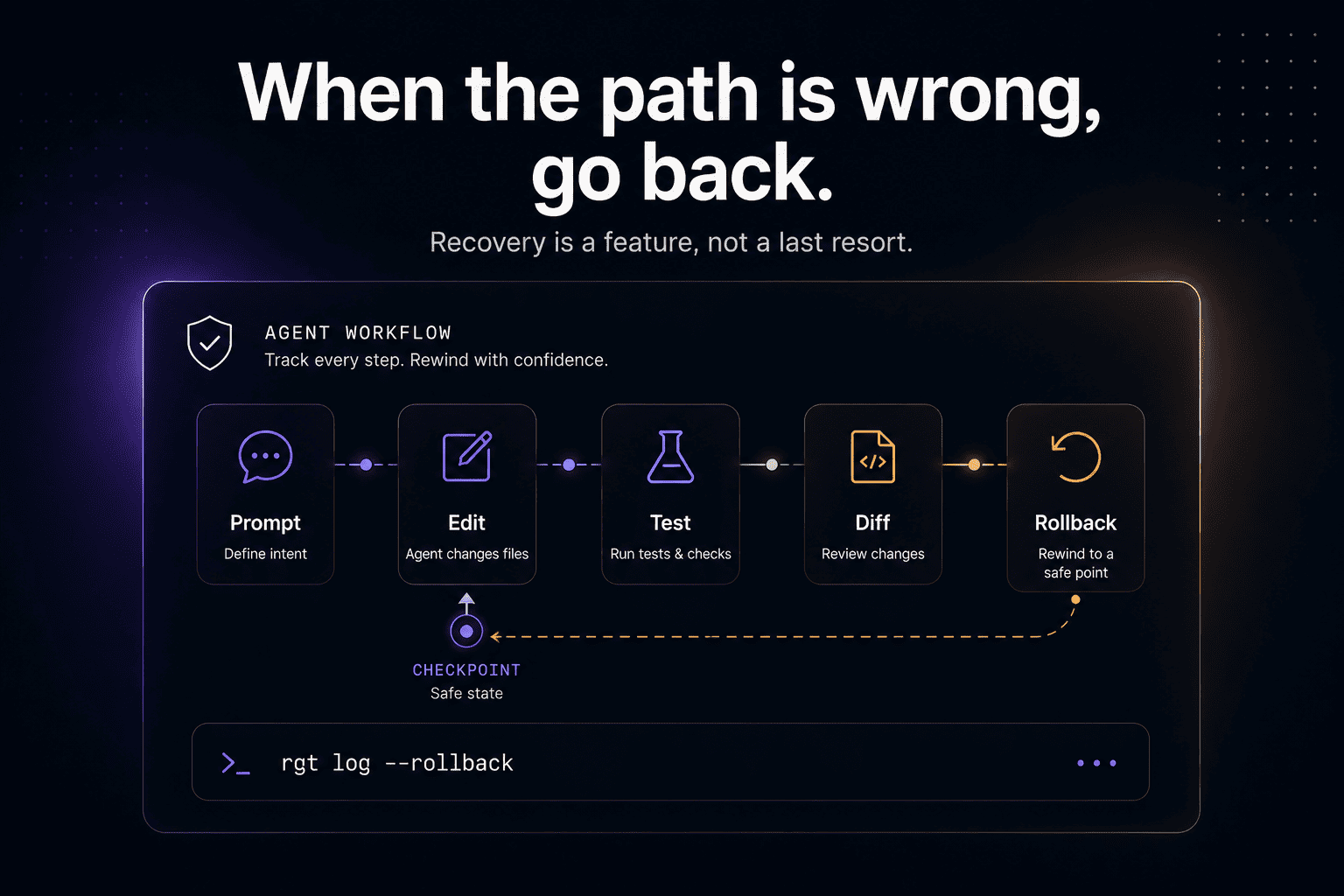
Claude Code has checkpointing and rewind features built for exactly this kind of moment.
Checkpointing tracks Claude’s file edits during a session, so you can rewind if the agent goes in the wrong direction. In practical terms, it gives you a safety net when Claude makes changes you do not want to keep.
This is useful when:
Claude edits the wrong file
Claude takes the wrong implementation path
Claude starts a refactor that gets too broad
You want to return to a previous point in the session
You want to explore an alternative without manually reconstructing files
The simplest mental model:
That is the first thing to try when you are still inside the Claude Code workflow.
Second: inspect the actual file changes
Before undoing anything, look at what changed.
Use Git.
Then:
If the change is small, this may be enough.
You can manually edit the file, discard selected changes, or revert everything:
That is the nuclear option for uncommitted changes. Use it carefully.
A safer flow is:
Now you have a patch file before you clean anything up.
Or commit the current state to a temporary branch:
Then you can return to your original branch and compare or cherry-pick later.
The boring Git habits still matter a lot in the agent era.
Actually, they matter more.
Third: ask what kind of undo you need
Not every “undo” is the same.
Before you revert, decide what you are trying to recover.
1. Undo everything Claude did
This is the simplest case.
Claude went down a bad path. You want the repo back to where it was before.
Use checkpointing, rewind, or Git restore.
2. Keep the useful parts, remove the bad parts
This is harder.
Claude fixed one thing and broke another. You want the good changes, but not the collateral damage.
Now you need to inspect the diff carefully, file by file.
Useful commands:
Patch restore is underrated. It lets you selectively discard hunks instead of throwing away the entire change.
3. Understand which prompt caused the bad change
This is where normal Git starts to feel insufficient.
Git can show you what changed.
It does not automatically tell you which prompt caused the change, which agent step introduced it, or what Claude was trying to do at that point in the session.
That is where agent history becomes important.
4. Recover after context got messy
Sometimes the code is not the only problem.
The session itself gets messy.
Claude forgets why it made a change. The context window fills up. A compacted session loses useful detail. You start a new session and the actual path that produced the diff is gone.
At that point, undo is no longer just a file operation.
It is a history problem.
Why Claude Code rewind is useful, but not the whole answer
Claude Code rewind is a good safety feature.
But developers usually need more than a time machine for files.
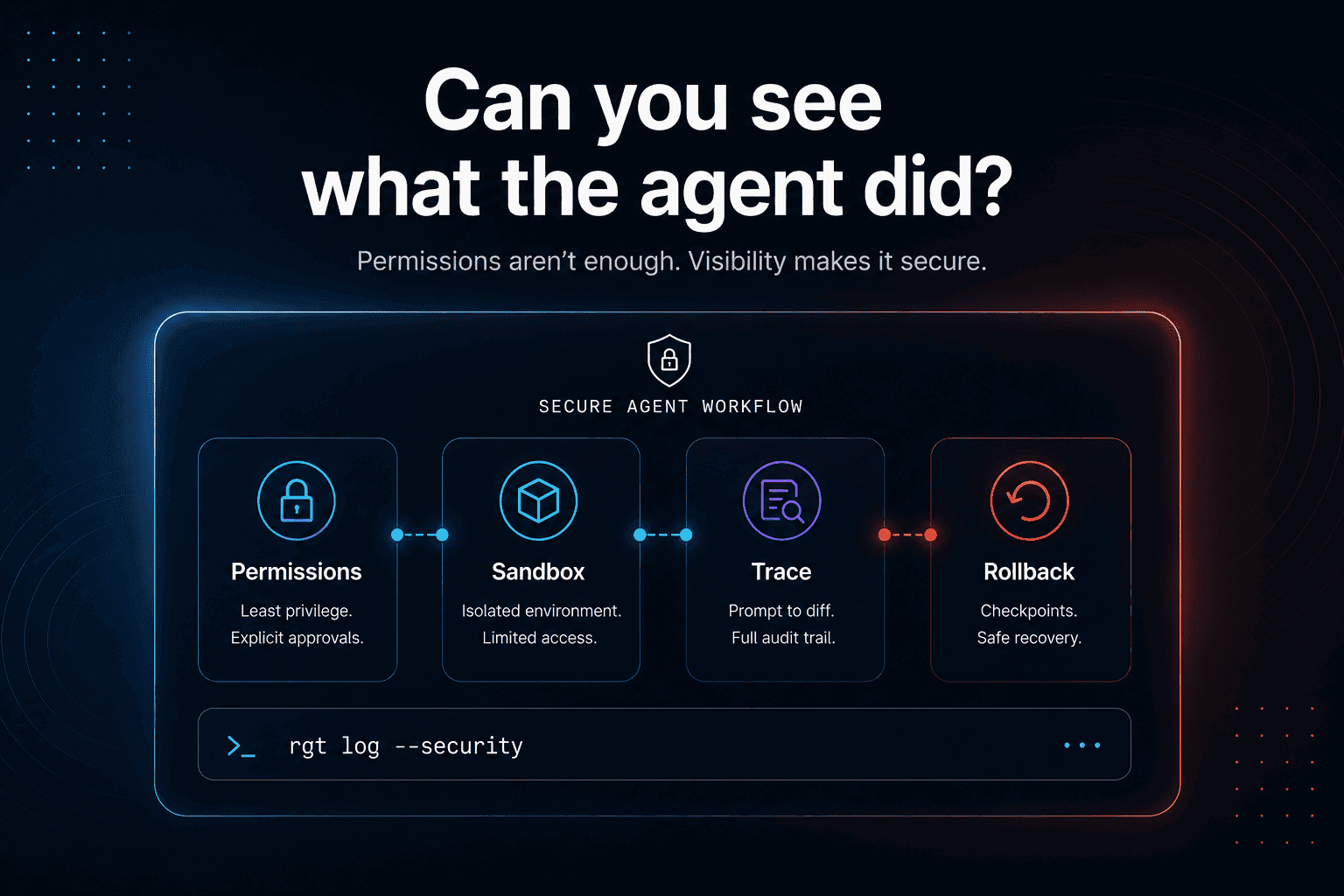
When an AI coding agent changes code, the important history includes:
The original prompt
The files Claude read
The commands it ran
The tests it executed
The errors it hit
The intermediate edits it made
The moment the bug was introduced
The final diff
The explanation Claude gave
The rollback point you may need later
A file checkpoint can help restore state.
It does not always give you a clean engineering explanation.
That is the gap.
The real question: “What did Claude actually do?”
When Claude Code breaks something, developers often ask:
But the deeper question is:
Because if you do not understand what happened, you are stuck choosing between two bad options:
Trust the agent’s explanation.
Throw everything away.
Neither is a great workflow.
A better workflow looks like this:
You should be able to inspect that chain.
You should be able to see which prompt caused which diff.
You should be able to blame a line of code back to the agent session that created it.
You should be able to rewind the work without losing the useful parts.
That is the missing layer around Claude Code.
A practical recovery workflow
Here is a clean recovery flow when Claude Code changed too much.
Step 1: Stop the session
Do not keep prompting Claude to “fix it” immediately.
That often creates more changes on top of the bad changes.
First, inspect.
Step 2: Check Git status
Look for:
Modified files
New files
Deleted files
Unexpected config changes
Test snapshots
Lockfile changes
Generated files
Step 3: Get a high-level diff
This tells you the shape of the damage.
If one prompt changed one file, fine.
If it changed fifteen files across three unrelated areas, slow down.
Step 4: Save the current state
Before undoing, save a copy.
This gives you a recovery point even if you revert too aggressively.
Step 5: Use checkpointing or Git restore
If Claude Code checkpointing has the state you want, rewind there.
If not, use Git.
For a full uncommitted revert:
For selective undo:
Step 6: Re-run tests
After undoing, run the smallest relevant test first.
or:
Do not run the whole world unless you need to.
Step 7: Restart with a narrower prompt
Bad agent changes often come from broad prompts.
Instead of:
Try:
Then:
The best undo is preventing the agent from creating a giant ambiguous diff in the first place.
Better prompts for safer Claude Code sessions
Use constraints.
Bad:
Better:
Bad:
Better:
Bad:
Better:
Bad:
Better:
Claude Code is powerful, but broad prompts create broad diffs.
Broad diffs are harder to undo.
Why Git cannot tell the whole story
Git is still essential.
But Git sees files, not agent intent.
A Git diff can show:
But it cannot automatically show:
That context matters.
Especially when the change works in one environment and fails in another.
Especially when Claude made multiple attempts.
Especially when you return to the bug a week later and no one remembers why the agent made that change.
Where re_gent fits
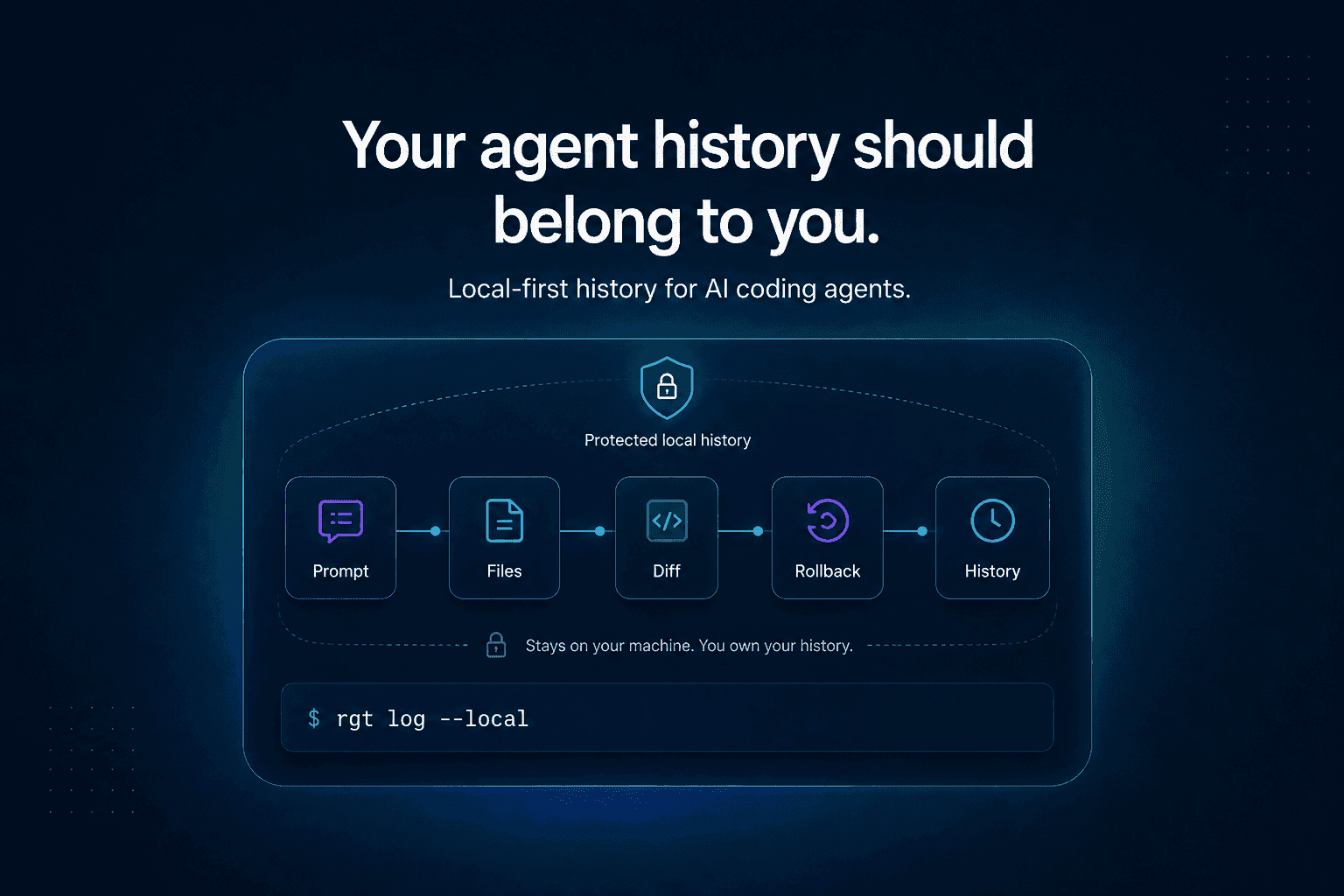
re_gent is open-source version control for AI coding agent activity.
It does not replace Git.
It adds the history Git does not have: agent sessions, prompts, file changes, rollback points, and the relationship between them.
The idea is simple:
With an agent-history layer, the recovery workflow becomes less blind.
Instead of only asking:
You can ask:
And instead of only asking:
You can ask which prompt or session produced a change.
That is the difference between undoing files and understanding agent work.
You can find re_gent on GitHub here: https://github.com/regent-vcs/re_gent
Why this matters during real debugging
This is not only about convenience.
During real debugging, history matters.
That is one of the reasons we also built The Incident Challenge: a live production-debugging challenge where developers investigate logs, code, runtime behavior, architecture, and broken production systems.
The lesson from incident work is simple:
The final fix is not enough.
You need to understand the path to the fix.
The same is true for Claude Code.
If Claude changes a production-critical path, you should not only know the final diff. You should know what evidence led to it, which assumptions were made, and how to reverse it safely.
You can check out The Incident Challenge here: https://theincidentchallenge.com/
FAQ
How do I undo Claude Code changes?
Start with Claude Code checkpointing or rewind if you are still inside the session. Then inspect changes with git status and git diff. For uncommitted changes, you can use git restore . to revert everything or git restore -p to selectively discard changes.
What is Claude Code rewind?
Claude Code rewind is a way to return to an earlier checkpoint in a Claude Code session. It helps recover when Claude edits files in a way you do not want to keep.
Does Claude Code checkpointing replace Git?
No. Checkpointing is useful inside Claude Code sessions, but Git is still your source of truth for code history, commits, branches, diffs, and collaboration.
What should I do before undoing Claude Code changes?
Save the current diff first:
Then inspect the file list with:
This gives you a fallback if you undo too much.
How do I see what Claude Code changed?
Use:
For a deeper agent-level history, use a tool that tracks prompts, sessions, and file edits together.
Why is undoing AI-agent work harder than normal code?
Because the final diff does not show the full path. AI agents work through prompts, file reads, tool calls, tests, intermediate edits, and session context. Undoing the code is one thing. Understanding the agent’s decisions is another.
What is the safest way to use Claude Code?
Ask Claude to investigate before editing. Then approve a narrow plan. Use small prompts, small diffs, frequent checkpoints, and Git commits around meaningful steps.
Final thought
Claude Code rewind is useful.
Git restore is useful.
But the real problem is bigger than undo.
As AI agents write more code, developers need history for the work behind the code.
Because when an agent breaks something, the most important question is not only:
It is: